London journey-planning application
Completed portfolio projectTrackHopper
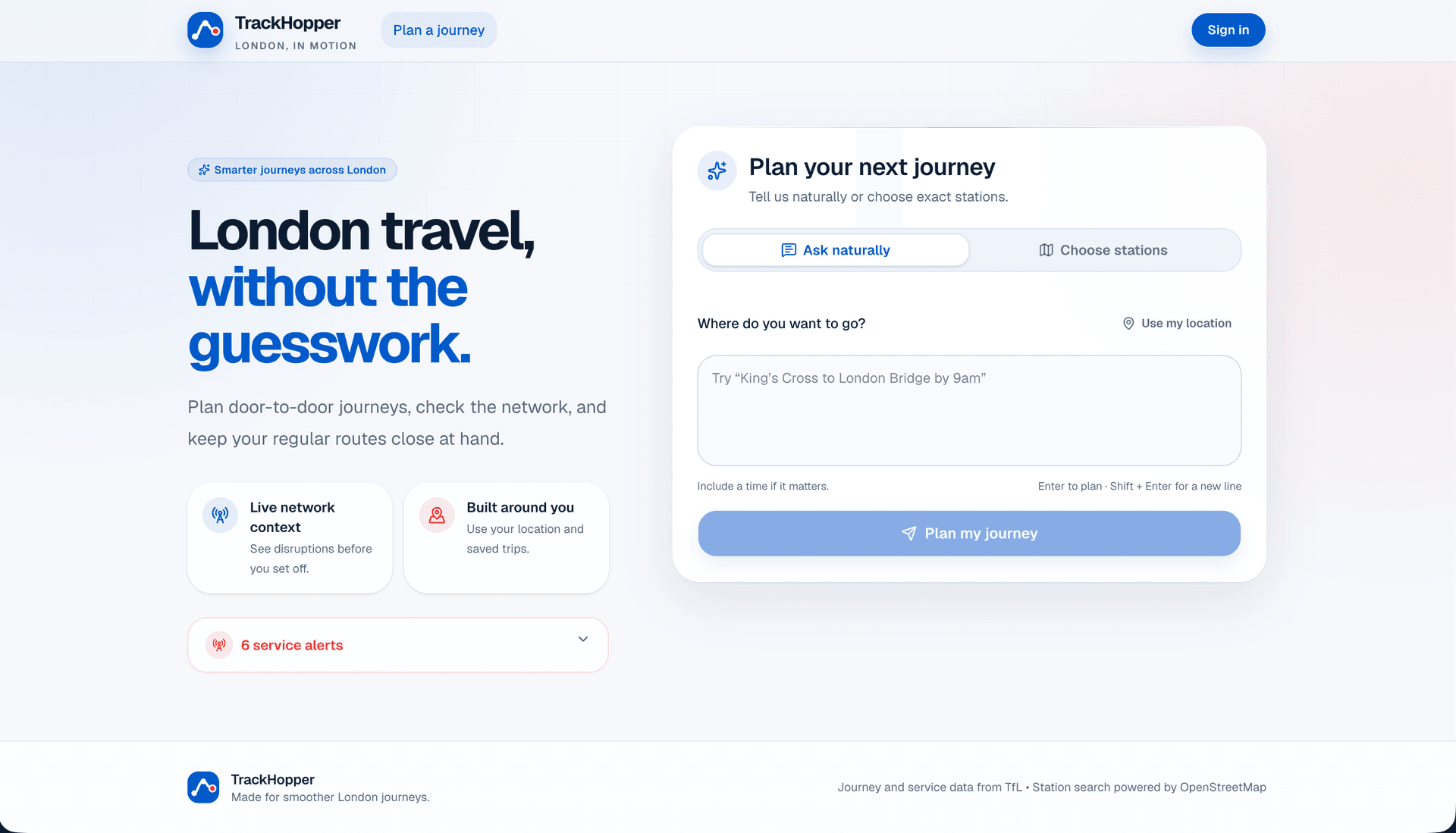
A London commute planner that converts plain-English travel requests into practical routes with fares, live line information, step-by-step directions, and an interactive map.
- My role
- Full-stack developer — independent project
- Development status
- Completed portfolio project
- Intended users
- London commuters and occasional travellers
The context
Problem being solved
People often describe London journeys using landmarks, informal place names, or everyday language rather than exact station names and transport terminology.
Audience
Intended users
- London commuters and occasional travellers
- Students and visitors unfamiliar with station names
- People planning journeys from landmarks or their current location
My role and contribution
Full-stack developer — independent project
- Built the natural-language and structured journey-planning experiences.
- Connected intent extraction, place resolution, TfL journey data, fares, live status, geolocation, and interactive maps.
- Added authenticated saved routes and an admin view for usage activity and external API health.
Development status
The documented feature set and deployed demonstration are complete as a portfolio project. It is not described as a production transport service.
Main features
Plain-English journey requests with typo-tolerant intent extraction and landmark-aware place resolution.
TfL journeys, fares, disruption status, nearby stations, geolocation, and step-by-step map results.
Supabase authentication, saved routes, and an admin-only API health and usage view.
Technical architecture
A staged request pipeline turns free text into structured intent, resolves places, requests a TfL journey, and renders the result before optionally saving it.
- 01
Journey request
Next.js interface
Accepts plain-English input, a structured form, or the user's current location.
- 02
Intent and place resolution
Pollinations AI + Nominatim
Extracts journey intent and resolves landmarks when TfL station search is insufficient.
- 03
Transport planning
TfL Unified API
Returns routes, steps, fares, station data, and current line information.
- 04
Results and persistence
Leaflet + Supabase
Displays the route on a map and saves selected journeys for signed-in users.
Technology breakdown
A recruiter-focused view of the main technical responsibilities and service boundaries.
Frontend technology
Next.js 14, TypeScript, Tailwind CSS, Leaflet, and React-Leaflet support the planner and map-led results.
- Plain-language and structured journey input modes
- Responsive route cards, fares, live line status, and step-by-step directions
- Interactive route maps and current-location controls
Backend technology
Application routes coordinate AI intent parsing, TfL requests, geocoding fallback, station resolution, and health logging.
- Structured intent is extracted before transport APIs are called
- TfL station search falls back to Nominatim and nearest-station lookup
- External API activity is logged for basic admin health monitoring
Database and storage
Supabase Postgres stores user profiles, saved routes, and operational API activity.
- Saved routes are scoped to the authenticated user
- Profiles hold the server-checked administrator flag
- API health records support the restricted admin dashboard
External integrations
The planning pipeline combines transport, AI, map, geocoding, and browser-location services.
- TfL Unified API for journeys, fares, stations, and line status
- Pollinations AI for natural-language intent extraction
- OpenStreetMap Nominatim, Leaflet, and browser geolocation
Authentication and security
Supabase authentication and database policies separate personal routes from admin-only operations.
- Row Level Security limits users to their own saved routes
- Administrator access is checked server-side using a profile flag
- Secret API credentials are configured through environment variables
Testing, accessibility and performance
Testing approach
- The repository exposes lint and production-build checks.
- Manual route scenarios should cover stations, landmarks, misspellings, current location, arrival or departure time, service disruption, and failed upstream APIs.
- Permission checks should confirm saved-route isolation and server-side admin gating.
Accessibility considerations
- Ensure every journey result remains understandable without relying on the map.
- Expose live line status and errors as text, not colour alone.
- Keep location, form, saved-route, and map-adjacent controls keyboard accessible.
- Use a logical heading and focus order when results update.
Performance considerations
- Load map code only when a route or map view is needed.
- Debounce or cache place-resolution requests where appropriate.
- Handle slow or unavailable external APIs without blocking the whole interface.
Learning and next steps
What I learned
- Natural-language input still needs a deterministic fallback pipeline before it can call transport services reliably.
- Maps should support journey information rather than becoming the only way to understand it.
- External APIs need observable failure states and clear boundaries.
What I would improve next
- Add automated fixtures for intent parsing, place resolution, and TfL response transformation.
- Improve caching, rate-limit handling, and fallback messaging for upstream services.
- Run accessibility testing with keyboard, screen-reader, and zoom workflows.
Project gallery
Screenshots from the current project build.
Interactive preview
Load the live project directly on this page. Requires an active deployment.
Interactive preview available
Loads the live site inside this page. Click to activate — the project must be publicly accessible.
Explore the build
Live demo and source code
Review the current interface or inspect the repository and documented implementation.