AI-assisted developer consistency platform
Active developmentBlumo
An active MVP that turns a developer's learning goal into a small daily mission, supports review and editing, and creates a user-approved contribution in a selected GitHub repository.
- My role
- Full-stack developer — independent project
- Development status
- Active development
- Intended users
- Students learning software development
The context
Problem being solved
Students and early-career developers can find it difficult to turn broad learning goals into consistent, meaningful practice and credible evidence of progress.
Audience
Intended users
- Students learning software development
- Early-career developers building consistent practice
- Developers who want guided tasks connected to their own GitHub repositories
My role and contribution
Full-stack developer — independent project
- Designed the product flow from GitHub sign-in and onboarding through mission generation, review, approval, and progress history.
- Separated website identity from repository authorization using Supabase Auth and a fine-grained GitHub App installation flow.
- Defined server-only AI and commit boundaries, structured validation, repository path restrictions, audit records, and explicit user approval.
Development status
Blumo is a deployed, actively developed MVP. The repository documents a deliberately staged build plan, with the complete manual mission and approval workflow prioritised before scheduled automation or later analytics, monitoring, and billing features.
Main features
GitHub sign-in and onboarding for development goals, experience level, task preference, and available daily time.
AI-assisted daily missions that users can complete, edit, preview, and explicitly approve.
Fine-grained GitHub App repository access with safe-path validation and short-lived installation tokens.
Progress history, commit records, audit events, and repository connection status.
Technical architecture
The application separates browser interaction, Supabase identity and data, server-only AI orchestration, and fine-grained GitHub repository writes.
- 01
Developer workspace
Next.js + TypeScript
Marketing, authentication, onboarding, missions, review, progress, and settings interfaces.
- 02
Application boundaries
App Router + Zod
Server-rendered views and route handlers validate inputs, AI output, ownership, and task state.
- 03
Identity and data
Supabase
GitHub-based website authentication, PostgreSQL records, sessions, audit data, and Row Level Security.
- 04
External execution
Pollinations + GitHub App
Server-only mission generation and user-approved writes to selected repositories through Octokit.
Technology breakdown
A recruiter-focused view of the main technical responsibilities and service boundaries.
Frontend technology
Next.js 16, React 19, TypeScript, Tailwind CSS, and shadcn/ui support a calm, responsive developer workspace.
- React Hook Form and Zod support structured onboarding and validation
- Responsive dashboard, mission workspace, editor, preview, commit review, progress, and settings views
- Documented keyboard access, visible focus, semantic content, contrast, and reduced-motion requirements
Backend technology
Next.js route handlers keep mission generation, repository authorization, commit creation, and email operations on the server.
- A provider-neutral AI interface keeps Pollinations replaceable
- Structured AI output is validated with Zod before storage or display
- The commit flow verifies ownership, state, repository installation, path, content, size, and commit message
- Commit operations are designed to be idempotent with one successful MVP commit per task
Database and storage
Supabase PostgreSQL stores product state and audit history, while the selected GitHub repository remains the source of truth for approved artifacts.
- PostgreSQL stores profiles, goals, installations, repositories, missions, schedules, commit metadata, AI usage, and audit events
- Row Level Security isolates user-owned records
- The database stores submitted snapshots for history while GitHub stores committed content
- Object storage and queues are intentionally outside the first manual MVP
External integrations
Blumo integrates focused services for repository access, AI assistance, email, identity, and deployment.
- GitHub App and Octokit for selected-repository access and file operations
- Pollinations behind a server-only provider interface
- Supabase Auth with GitHub and Resend-backed authentication email
- Resend API for product email and Vercel for deployment
Authentication and security
The security model separates login from repository permissions and treats AI output and repository content as untrusted.
- Supabase Auth identifies the user without granting repository write access
- The GitHub App requests fine-grained access only to repositories selected by the user
- Short-lived installation tokens are requested when needed and are not stored permanently
- MVP writes are limited to normalised paths under blumo/** and sensitive paths are blocked
- Every contribution requires explicit user review and approval before a GitHub write
- Secrets remain server-only, webhooks require signature verification, and user data is protected by RLS
Testing, accessibility and performance
Testing approach
- The repository provides separate lint, TypeScript type-check, Vitest, and production-build commands.
- Vitest and Testing Library are configured for application logic and component checks; Playwright is documented for critical user journeys.
- Critical scenarios should cover authentication, onboarding, installation verification, repository selection, AI output validation, safe-path rejection, approval, idempotent commits, and permission isolation.
Accessibility considerations
- Keep all controls keyboard accessible with visible focus indicators and comfortable touch targets.
- Use proper labels, descriptions, dialog focus management, and descriptive link text.
- Present progress, task, error, and commit states with text rather than colour alone.
- Use semantic headings in Markdown previews and respect reduced-motion preferences.
Performance considerations
- Keep Pollinations calls server-side with bounded timeouts, transient retries, and structured responses.
- Limit AI context to the goal, preferences, selected repository metadata, and a small recent-mission history.
- Introduce scheduled jobs, queues, analytics, and monitoring only when the stable manual workflow requires them.
- Keep the operational Supabase keep-alive request minimal and separate from user product workflows.
Learning and next steps
What I learned
- Signing in with GitHub and authorising repository writes are separate trust decisions and should use separate flows.
- AI-assisted development features need validation, clear boundaries, and user approval before external side effects.
- Repository access is safer when permissions, target paths, tokens, and commit state are narrowly scoped.
What I would improve next
- Complete and verify the full manual mission-to-approved-commit journey before expanding scheduling.
- Add end-to-end coverage for critical GitHub installation, approval, and commit workflows.
- Introduce production error monitoring and product analytics only after the core workflow is stable.
Project gallery
Screenshots from the current project build.
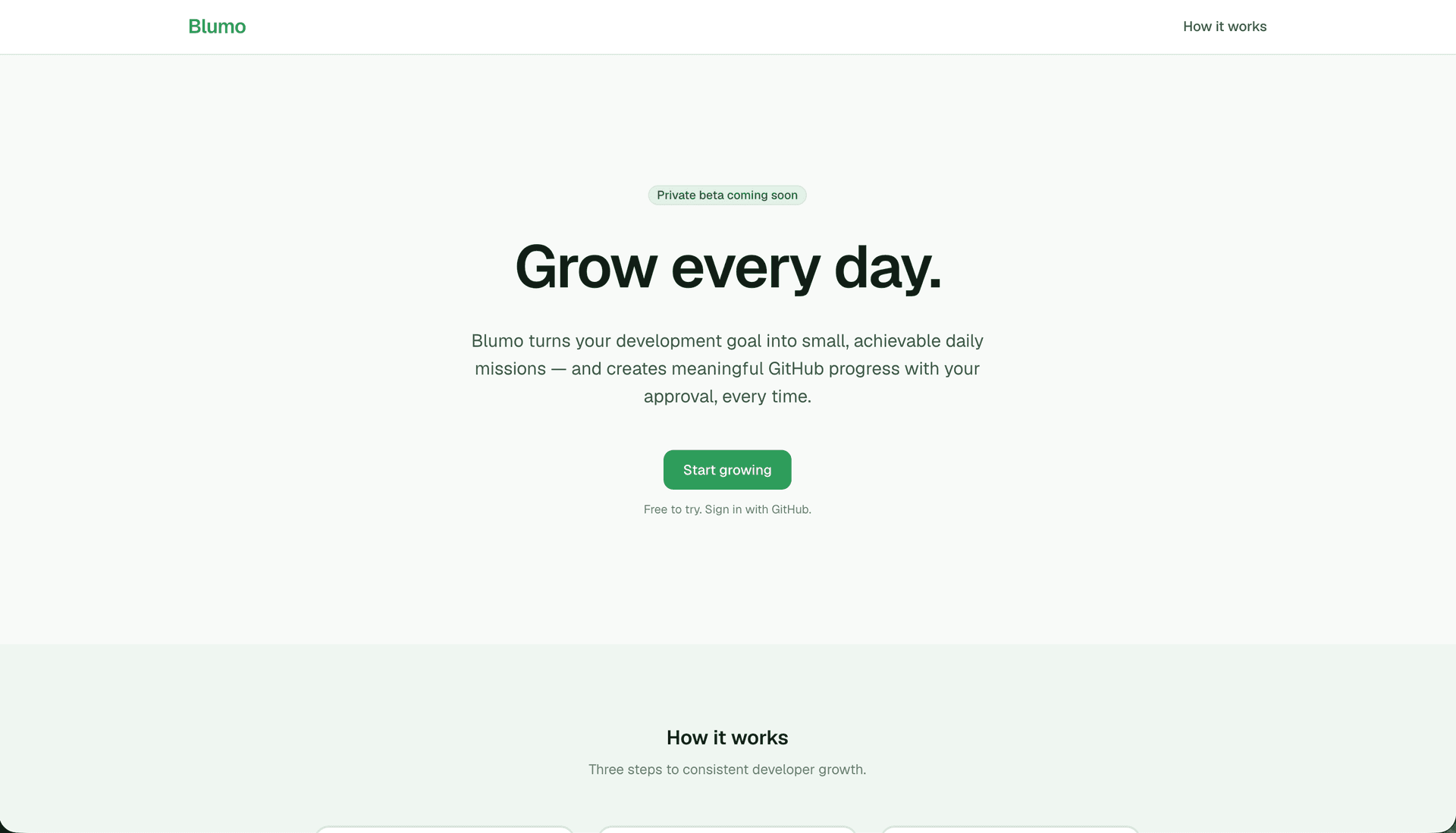
Interactive preview
Load the live project directly on this page. Requires an active deployment.
Interactive preview available
Loads the live site inside this page. Click to activate — the project must be publicly accessible.
Explore the build
Live demo and source code
Review the current interface or inspect the repository and documented implementation.